
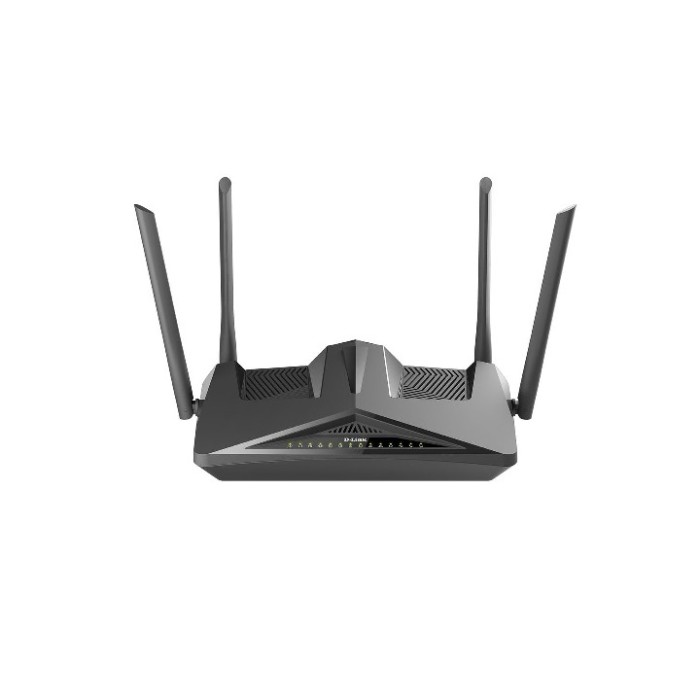
D-Link DSL-X1852E AX1800 Mesh Wi-Fi 6 ADSL2+/VDSL2 Modem Router
D-Link DSL-X1852E AX1800 Mesh Wi-Fi 6 ADSL2+/VDSL2 Modem Router
DSL-X1852E
- Integrated VDSL/ ADSL2+ Modem for universal DSL connectivity in Australia and New Zealand with VLAN tagging
- Wi-Fi 6 technology provides faster speeds, greater capacity and less network congestion
- Speeds up to AX1800 (1200Mbps on the 5GHz and 574Mbps on the 2.4GHz)
- One dedicated Gigabit WAN port and four Gigabit LAN ports provide optional wired connectivity
- Connect up to two phones to makes VoIP calls over the Internet*
- Connect a 4G LTE USB Adapter DWM-222 for cellular broadband access or failover
- OFDMA and MU-MIMO technology communicate more data to more devices while simultaneously reducing lag
- BSS Colouring Technology reduces interference, making more efficient use of Wi-Fi spectrum
- Increased battery life of connected devices with Target Wake Time technology
- Supports the latest WPA3™ encryption
- Supports SOS/ ROC
Related Product
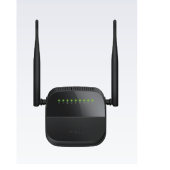
D-Link DSL-124 Wireless N 300 ADSL2+ 4-Port Router
Ultimate Wireless Connection
The Wireless N 300 ADSL2+ 4-Port Router provides wireless speeds that are much faster than 802.11 g, allowing you to maximize wireless performance and stay connected from virtually anywhere in your home and office.
Firewall Protection and QOS
Security features prevent unauthorized access to the home and office network from wireless devices or from the Internet , The Wireless N300 ADSL2+ 4-Port Router Provides firewall security, such as Stateful Packet Inspection (SPI) and hacker attack loggzing. SPI inspects the contents of incoming packets before they are allowed in, while hacker logging helps to protect your network against Denial of Service (DoS) attacks. For Quality of Service (QOS), the router supports priority queues to enable a group of home or office users to experience the benefit of a smooth network connection without worrying about traffic congestion, and a built-in WPS button provides an easy way to establish a secure wireless connection.
Compatibility Assurance
The Wireless N 300 ADSL2+ 4-Port Router is backward compatible with existing 802.11 b and 802.11 g wireless equipment, ensuring compatibility with a wide range of wireless devices and making your older devices still relevant. In addition, the DSL-124 includes four Ethernet ports for connecting Ethernet-enabled PCs, print servers, and other devices.
..
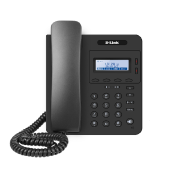
D-Link DPH-115GE COMPACT IP PHONE
COMPACT IP PHONE
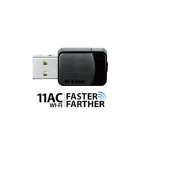
D-INK DWA-171 Wireless AC Dual Band USB Adapter
Upgrade to Wireless AC Performance
Today's households are connecting more devices than ever before – with more and more iPhones, Androids, tablets, and laptops laying around in any given home, it's important that each device gets the speed and coverage it deserves.
By upgrading your laptop and desktop computers to Wireless AC, you can immediately enjoy the benefits of faster wireless speeds and better connectivity. Delivering Wi-Fi dual band speeds to your laptop or desktop computer, the DWA-171 is the perfect solution for those looking to enjoy smooth HD video streaming, fast file transfers and lag-free video chatting – all with less wireless interference for maximum performance.
Backward Compatible
While the Wireless AC Dual Band USB Adapter delivers blazing fast AC speed to your laptop or desktop computer, it’s also backward compatible with older Wi-Fi routers and devices – no updates or adapters necessary.
Maximize your AC Performance
While your new Wireless AC adapter delivers the latest and the greatest in wireless performance to your laptop and desktop computers, you can further optimize your home network's performance by upgrading your current router to one of D-Link’s Wireless AC Cloud routers. By adding an Wi-Fi AC router to your home network (DIR-810L, DIR-820L), you can avoid speed bottle-necks and maximize your wireless AC performance
..
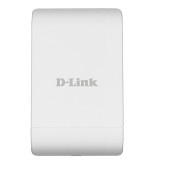
D-Link DAP-3410 Wireless N 5GHz Outdoor Access Point
The DAP-3410 Wireless N Exterior Access Point is the ideal solution for expanding the coverage and signal strength of any wireless network. Built to withstand harsh environments, the DAP-3410 also excels in connecting separate networks that cannot be joined physically using traditional medium. Multiple operating modes, network management tools, and security
features gives network administrators a wide range of choices for deploying the device, allowing for the addition of increased connectivity to wireless network-enabled devices.
Increased Network Connectivity And Throughput
Expand current wireless network capacity with the latest 5 GHz 802.11a/n wireless connectivity. In addition, two 10/100 Ethernet ports (one supporting PoE) allow for further physical expansion using traditional wired medium. The built-in 10 dBi sector antenna has a high power output6 ensuring that wireless coverage will cover even hard to reach locations. Whether you want to connect additional wireless devices such as smartphones or laptops, or bringing connectivity to networks separated by short distances, the DAP-3410 has it covered.
Flexible Deployment Options
The DAP-3410 features seven multiple operation modes, allowing it to adapt to any situation. As a standard wireless access point (AP) the DAP-3410 can connect to a wide range of devices that are 802.11a/n compliant. In wireless distribution system (WDS) mode it can expand current wireless coverage without the need for a wired backbone link. As a wireless client it can connect to an existing AP and expand the network physically with the two built-in 10/100 Ethernet ports. Repeater mode will extend current wireless coverage eliminating dead spots and weak signals. WISP mode functionality includes the ability to function as a client or repeater.
Fine-Tuned Control Over Network Resources
The DAP-3410 supports up to 8 SSIDs, allowing the administrators to logically divide the access point into several virtual access points all within a single hardware platform. Rather than having separate networks with several access points, administrators can deploy one single AP to support more than one application, such as public Internet access and internal network control to increase flexibility and keep costs down. The DAP-3410 supports 802.1Q VLAN Tagging, operating with multiple SSIDs to segment traffic to enhance performance and security. The DAP-3410 provides WLAN partitioning, a
useful function for deployments such as wireless hot spots. With station-tostation partitioning enabled, security is enhanced, since wireless users cannot peek at each other, and the possibility for data theft is reduced.
Fine-Tuned Control Over Network Resources
The DAP-3410 supports upto 8 SSIDs, allowing the administrators to logically divide the access point into several virtual access points all within a single hardware platform. Rather than having separate networks with several access points, administrators can deploy one single AP to support more than one application, such as public Internet access and internal network control to increase flexibility and keep costs down. The DAP-3410 supports 802.1Q VLAN Tagging, operating with multiple SSIDs to segment traffic to enhance performance and security. The DAP-3410 provides WLAN partitioning, a useful function for deployments such as hot spots. With station-to-station partitioning enabled, security is enhanced, since wireless users cannot peek at each other, and the possibility for data theft is reduced.
Robust Security And Management Tools
The DAP-3410 supports 64/128-bit WEP data encryption and WPA/WPA2 security functions. In addition, it provides MAC Address Filtering to control user access, and the Disable SSID Broadcast function to limit outsiders’ accessto the internal network. Network administrators have multiple options for managing the DAP-3410, including HTTP and HTTPS. For advanced network management, administrators can use SNMPv1, v2c, v3 to configure and manage access points.
Power over Ethernet (PoE)
The DAP-3410 is powered by PoE5 which allows for convenient installation, especially in places where a power supply is not reliable or power cables are not available or easily set up. Also, the DAP-3410 can supply power to a connected D-Link surveillance camera through PoE, including the DCS-3716, DCS-6113, and DCS-7110 cameras.
..
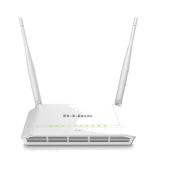
D-Link DSL-225 VDSL2 N300 4-port Wireless Router
- Combination ADSL2+ Modem and Router
- Fast and Reliable Home Network
- USB Port for Additional Connectivity
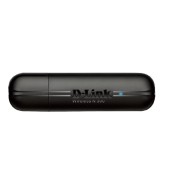
D-Link DWA-132 Wireless N300 USB Adaptor with WPS button
The Wireless N USB Adapter connects your computer to a high-speed wireless network and provides a fast wireless connection with superior reception. Once connected, you can access your network’s high-speed Internet connection while also getting secure access to shared photos, files, music, video, printers, and storage.
ULTIMATE PERFORMANCE
The DWA-132 Wireless N USB Adapter is an 802.11n standard client device that provides fast wireless performance for your PC. You can easily upgrade to the next generation of wireless technology by adding the Wireless N USB Adapter to a PC to access a high-speed Internet connection while sharing photos, files, music, video, printers, and storage. Enhance your Internet experience with a faster wireless connection and enjoy smooth digital phone calls, gaming, downloading, and video streaming.
GET CONNECTED, STAY CONNECTED
Powered by Wireless N technology, this adapter provides high-performance wireless connectivity. The DWA-132 is designed for use in bigger homes and for users that demand higher networking performance. Maximize your wireless performance by connecting this adapter to a Wireless N router and stay connected from virtually anywhere in your home. The DWA-132 is also backward compatible with 802.11g and 802.11b technology. This adapter supports WEP/WPA/WPA2 wireless encryption to help prevent outside intrusion and protect your personal information from being exposed.
EASY TO SET UP, EASY TO USE
D-Link’s Setup Wizard provides you with an easy way to set up your USB adapter. The addition of the Wi-Fi Protected Setup (WPS) function provides advanced security features that remain simple enough for the average user to configure correctly. This function allows for devices to undergo an easy one-time click button configuration for establishing connection with an access point or wireless router without the need of manually setting up complex encryption codes. With unmatched wireless performance, reception, and security, this adapter is the best choice for easily adding or upgrading wireless connectivity to your computer.
GET CONNECTED, STAY CONNECTED
Based on 802.11n specifications, Wireless N technology provides superior wireless performance. This allows your wireless network connection to perform smoothly while using bandwidth-demanding applications such as multimedia and Internet telephony.
..